


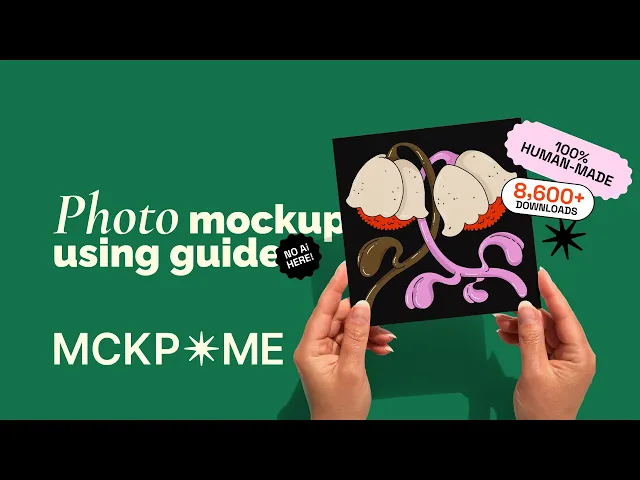

Greeting card mockups for bold designs.
Made by humans.
Photography-based mockups for EU and US greeting cards.
Compatible with Photoshop / Photopea / Affinity Photo.
Photography-based mockups for EU and US greeting cards. Compatible with Photoshop / Photopea / Affinity Photo.


580+ mockups
to explore
580+ mockups
to explore

100% human-made
100% human-made

used by designers
globaly
used by designers
globaly

works in: Photoshop,
Photopea, Affinity
works in: Photoshop,
Photopea, Affinity

8900+ downloads
8900+ downloads
Bestselling greeting card mockups
Bestselling greeting card mockups
MCKP*ME kitchen
MCKP*ME kitchen
Created by a small independent team using real photography and real spaces . Every scene looks authentic because it is.
Created by a small independent team using real photography and real spaces . Every scene looks authentic because it is.
“I know the challenge of presenting creative work and I designed MCKP*ME mockups the way I would want them myself. ”
– Jelena Lapina ( designer & project lead )
“I know the challenge of presenting creative work and I designed MCKP*ME mockups the way I would want them myself. ”
– Jelena Lapina ( designer & project lead )
Explore mockups by card size
Explore mockups by card size
Newsletter
Newsletter
Join our mailing list and get 20% off your next purchase
Join our mailing list and get 20% off your next purchase
Join our mailing list and get 20% off your next purchase
We’ll keep you updated on fresh mockups, early drops, and exclusive offers.
Join the list. No spam, unsubscribe any time.
Join the list. No spam, unsubscribe any time.
What people actually say
What people actually say

Louis
"Very helpful seller and amazing mock ups! All of them human made, if you want to support real artists you definitely have to buy from this shop!"

Lisa
“Love it! Exactly what I was looking for 🤍”

Angela
“I really loved this card mockup- US A2 mockups are so hard to find! This one was really easy to use and makes my cards look professional”

Nadine
“They have the best mockups.”

Erik
Perfect mockup! Love the design!

Monica
"I used this mockup for my wholesale catalogue for my greeting card company and it was perfect for my needs. The instructions were super clear and the quality was great. Highly recommend."

Maddisen
“Super cute layouts I love them”

Renee
“Love this mockup! Will use over and over and will definitely be buying more!”

Tessa
“Great card mock-up for my designs!”
Louis
"Very helpful seller and amazing mock ups! All of them human made, if you want to support real artists you definitely have to buy from this shop!"
Lisa
“Love it! Exactly what I was looking for 🤍”
Angela
“I really loved this card mockup- US A2 mockups are so hard to find! This one was really easy to use and makes my cards look professional”
Nadine
“They have the best mockups.”
Erik
Perfect mockup! Love the design!
Monica
"I used this mockup for my wholesale catalogue for my greeting card company and it was perfect for my needs. The instructions were super clear and the quality was great. Highly recommend."
Maddisen
“Super cute layouts I love them”
Renee
“Love this mockup! Will use over and over and will definitely be buying more!”
Tessa
“Great card mock-up for my designs!”
Louis
"Very helpful seller and amazing mock ups! All of them human made, if you want to support real artists you definitely have to buy from this shop!"
Lisa
“Love it! Exactly what I was looking for 🤍”
Angela
“I really loved this card mockup- US A2 mockups are so hard to find! This one was really easy to use and makes my cards look professional”
Nadine
“They have the best mockups.”
Erik
Perfect mockup! Love the design!
Monica
"I used this mockup for my wholesale catalogue for my greeting card company and it was perfect for my needs. The instructions were super clear and the quality was great. Highly recommend."
Maddisen
“Super cute layouts I love them”
Renee
“Love this mockup! Will use over and over and will definitely be buying more!”
Tessa
“Great card mock-up for my designs!”
How to use MCKP*ME mockups
How to use MCKP*ME mockups
1. Unzip and open
Your download arrives as a zip folder. Double-click it to extract the mockup files. Inside you'll find PSD files (the mockups you apply your design to), JPEG previews of each one, and a PDF with a short version of this guide. A few sizes are usually included, so pick the one you need and open it in Photoshop.
2. Find your way around
Each file is organised into folders on separate layers. The "Card" folder is where you apply your design, and "Background" lets you pick a background colour. Depending on what you bought, there may be extra folders too.
3. Add your design
Open the Card folder and double-click the card design layer's icon. Your design opens in a new window, drag and drop your artwork onto the card and resize it to cover the space, then save and close that window. Your design now appears on the mockup.
4. Change the background colour
Select the background colour layer and double-click its icon, then choose the colour you want and hit OK.
5. Export
Export your image and it's ready to use, on your listing, your website or wherever your design needs to shine.
Details AI can't fake

100%
human-made

PSD / 300 dpi / 3000px
Photoshop / Photopea
/ Affinity


ZOOM 100%
no background
extracted shadows
real texture
real reflections
smart object-baseed
Frequently asked questions
Frequently asked questions
How to download the file?
Once the purchase is made you will be able to download your file straight away. You will also find an email from Etsy in your email account with a download link. If you can't find it, you should be able to see all your purchased digital files here: http://www.etsy.com/your/purchases
I don't have Photoshop, but I still want to use the files.
All our mockups are designed to be used in Photoshop desktop version. You can also use Photopea or Affinity for our photo mockups If you use another program, we do not guarantee full functionality of the files. You can still try using the files in other programs at your own risk - in this case please make sure the software you are choosing supports smart object PSD files in both read and edit. You should also understand all the possible incompatibilities of the files.
What kind of license do I get?
Your purchase includes an "no Ai editorial" license that allowes you to use the files for personal or commercial presentation to display your own work or your clients work without giving credits to MCKP*ME. With your purchase you receive the right to use it for the described purpose only. The copyright as well as the owner rights belongs to MCKP*ME.
Will I receive a physical product?
We offer digital products only. You will not receive any physical product with your purchase.
Do i get design assistance or any kind of design service?
We are offering our products as DIY only. Please note, we do not offer assistance in design process, but you are still welcome to contact us if you have any questions about the product or physical issues with the files (such as: download, file opening, missing link/product parts).
How to use your mockups?
Watch our tutorials on how to use photo and video mockups on Youtube: @MCKPME
Can I use the product or parts of it in my own products and sell them?
You are not allowed to sell, sublicense, distribute, or otherwise transfer mockups to any third party. You are restricted from claiming ownership of the mockups and distributing those in any way that may be against MCKP*ME interests. You may use, modify, and incorporate the mockups into designs, online and offline advertisements, promotional materials, websites, and other digital or printed media. Can I use the files/file parts for Ai? You are not legally allowed to use our copyright work for Ai implementation or incorporation. We do not permit our work or parts of it to be used for machine learning/training of neural network models, including generative AI models.
Can I get custom-made mockups for my brand?
Absolutely. We do offer custom mockups for brands and studios. Feel free to reach out if you got a project in mind.
How to download the file?
Once the purchase is made you will be able to download your file straight away. You will also find an email from Etsy in your email account with a download link. If you can't find it, you should be able to see all your purchased digital files here: http://www.etsy.com/your/purchases
I don't have Photoshop, but I still want to use the files.
All our mockups are designed to be used in Photoshop desktop version. You can also use Photopea or Affinity for our photo mockups If you use another program, we do not guarantee full functionality of the files. You can still try using the files in other programs at your own risk - in this case please make sure the software you are choosing supports smart object PSD files in both read and edit. You should also understand all the possible incompatibilities of the files.
What kind of license do I get?
Your purchase includes an "no Ai editorial" license that allowes you to use the files for personal or commercial presentation to display your own work or your clients work without giving credits to MCKP*ME. With your purchase you receive the right to use it for the described purpose only. The copyright as well as the owner rights belongs to MCKP*ME.
Will I receive a physical product?
We offer digital products only. You will not receive any physical product with your purchase.
Do i get design assistance or any kind of design service?
We are offering our products as DIY only. Please note, we do not offer assistance in design process, but you are still welcome to contact us if you have any questions about the product or physical issues with the files (such as: download, file opening, missing link/product parts).
How to use your mockups?
Watch our tutorials on how to use photo and video mockups on Youtube: @MCKPME
Can I use the product or parts of it in my own products and sell them?
You are not allowed to sell, sublicense, distribute, or otherwise transfer mockups to any third party. You are restricted from claiming ownership of the mockups and distributing those in any way that may be against MCKP*ME interests. You may use, modify, and incorporate the mockups into designs, online and offline advertisements, promotional materials, websites, and other digital or printed media. Can I use the files/file parts for Ai? You are not legally allowed to use our copyright work for Ai implementation or incorporation. We do not permit our work or parts of it to be used for machine learning/training of neural network models, including generative AI models.
Can I get custom-made mockups for my brand?
Absolutely. We do offer custom mockups for brands and studios. Feel free to reach out if you got a project in mind.
How to download the file?
Once the purchase is made you will be able to download your file straight away. You will also find an email from Etsy in your email account with a download link. If you can't find it, you should be able to see all your purchased digital files here: http://www.etsy.com/your/purchases
I don't have Photoshop, but I still want to use the files.
All our mockups are designed to be used in Photoshop desktop version. You can also use Photopea or Affinity for our photo mockups If you use another program, we do not guarantee full functionality of the files. You can still try using the files in other programs at your own risk - in this case please make sure the software you are choosing supports smart object PSD files in both read and edit. You should also understand all the possible incompatibilities of the files.
What kind of license do I get?
Your purchase includes an "no Ai editorial" license that allowes you to use the files for personal or commercial presentation to display your own work or your clients work without giving credits to MCKP*ME. With your purchase you receive the right to use it for the described purpose only. The copyright as well as the owner rights belongs to MCKP*ME.
Will I receive a physical product?
We offer digital products only. You will not receive any physical product with your purchase.
Do i get design assistance or any kind of design service?
We are offering our products as DIY only. Please note, we do not offer assistance in design process, but you are still welcome to contact us if you have any questions about the product or physical issues with the files (such as: download, file opening, missing link/product parts).
How to use your mockups?
Watch our tutorials on how to use photo and video mockups on Youtube: @MCKPME
Can I use the product or parts of it in my own products and sell them?
You are not allowed to sell, sublicense, distribute, or otherwise transfer mockups to any third party. You are restricted from claiming ownership of the mockups and distributing those in any way that may be against MCKP*ME interests. You may use, modify, and incorporate the mockups into designs, online and offline advertisements, promotional materials, websites, and other digital or printed media. Can I use the files/file parts for Ai? You are not legally allowed to use our copyright work for Ai implementation or incorporation. We do not permit our work or parts of it to be used for machine learning/training of neural network models, including generative AI models.
Can I get custom-made mockups for my brand?
Absolutely. We do offer custom mockups for brands and studios. Feel free to reach out if you got a project in mind.